
ONE TRACK. ONE LINK.
Audio file sharing for your next mix.
Share music with a listening link in wuse. Let your team play the audio, leave timed comments and download it when you enable downloads.
7 days · 10 GB · Billed afterward unless cancelled. See plans
Upload your audio
Open Songs in Library and upload the bounce you want to review. Keep the file attached to its project when you need version history.
Set up the listening link
Use Share on the song. Review the link’s download and comment settings before sending it.
Listen in the browser
Recipients open the link, play the audio and leave feedback when comments are enabled. Use Open as client to check their view.
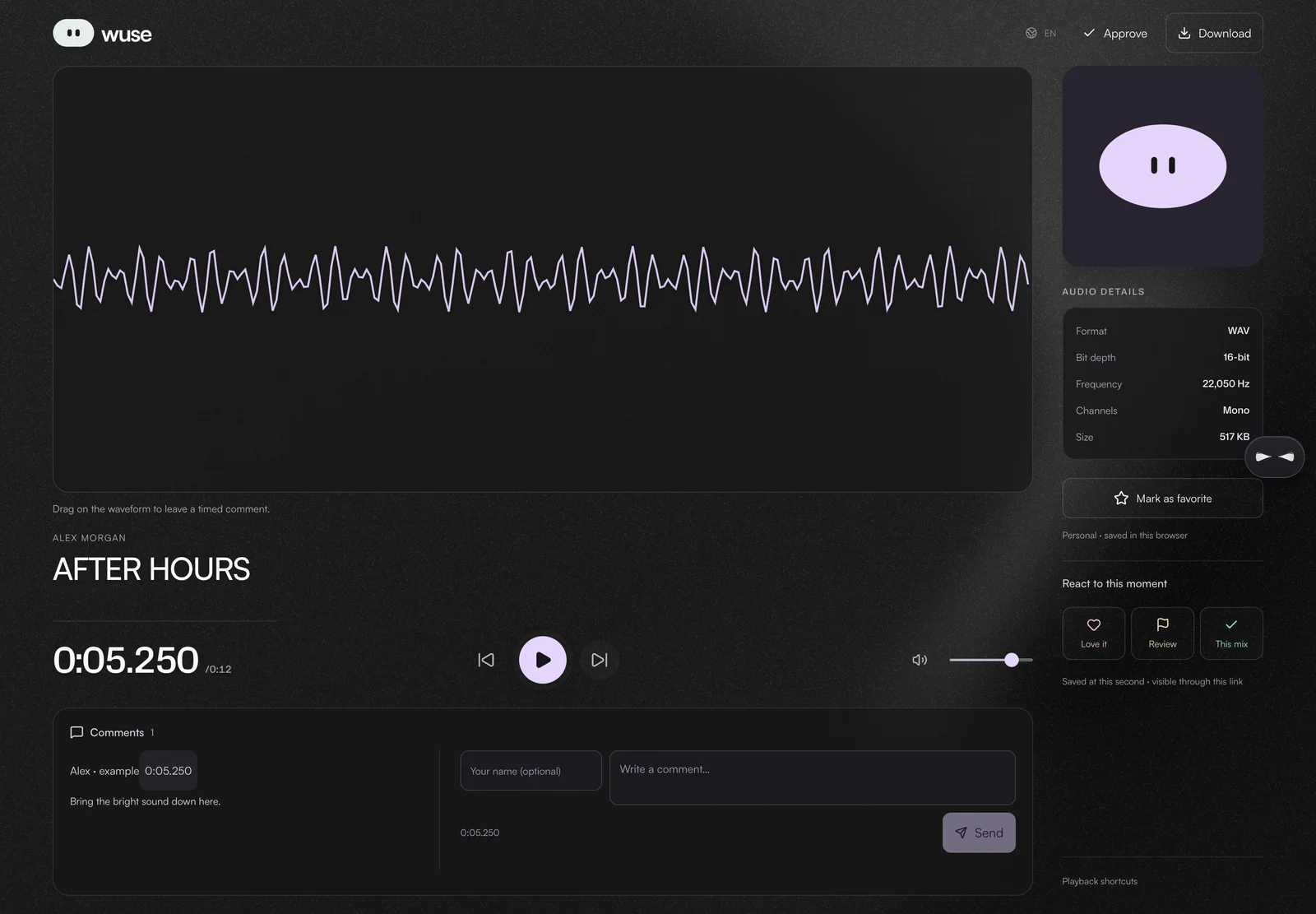
INTERACTIVE EXAMPLE / NO ACCOUNT
This is what a listener can do.
An original 12-second synthetic loop made for this example. No private music. Nothing is sent to a wuse project.
Tap or drag the waveform to choose a moment. With a keyboard, use the arrow keys; hold Shift for 0.1-second steps.
This public demo allows downloads. Your own audio links use the permissions you set in Share.
Loading example audio…
IN YOUR WORKSPACE
Bring your own music.
Open Library to upload a song, or use Projects to keep versions together. Your account and plan permissions apply.
Know what you are sharing
A listening link is accessible to whoever has it; send it only to the intended recipients. It is not the same as inviting someone into your workspace.
Creating and storing audio in Library requires Pro. The seven-day Pro trial includes 10 GB and is billed afterward unless cancelled. Per-file limits apply. See pricing for current terms.
This page demonstrates a listening link. Transfer and project delivery links have their own settings and are separate workflows.
Before you start
Does the recipient need a wuse account?
The public listening page can be opened without signing in. Access still depends on the link remaining available.
Can I turn off downloads or comments?
Audio listening links have download and comment settings. Review them in Share before distributing the link. Disabling the download button is not copy protection.
Is this a public music feed?
No. This workflow sends a specific listening link to the people you choose. It does not publish your song to a discovery feed.