
THE NOTE. THE MOMENT. THE VERSION.
Put every mix note in the right place.
Collect mix feedback on the waveform in wuse. Attach comments to a moment or range, keep the audio version in context and record explicit approval.
7 days · 10 GB · Billed afterward unless cancelled. See plans
Send the version to review
Share a song’s listening link or a project comparison link. Make sure comments are enabled for the review.
Point to the passage
Select a moment or drag across a range on the waveform. Write a concrete request and check its version and timestamp before sending.
Review the next bounce
Open comments at their marked positions, compare the next version and ask for explicit approval. A played link is not approval.
INTERACTIVE EXAMPLE / NO ACCOUNT
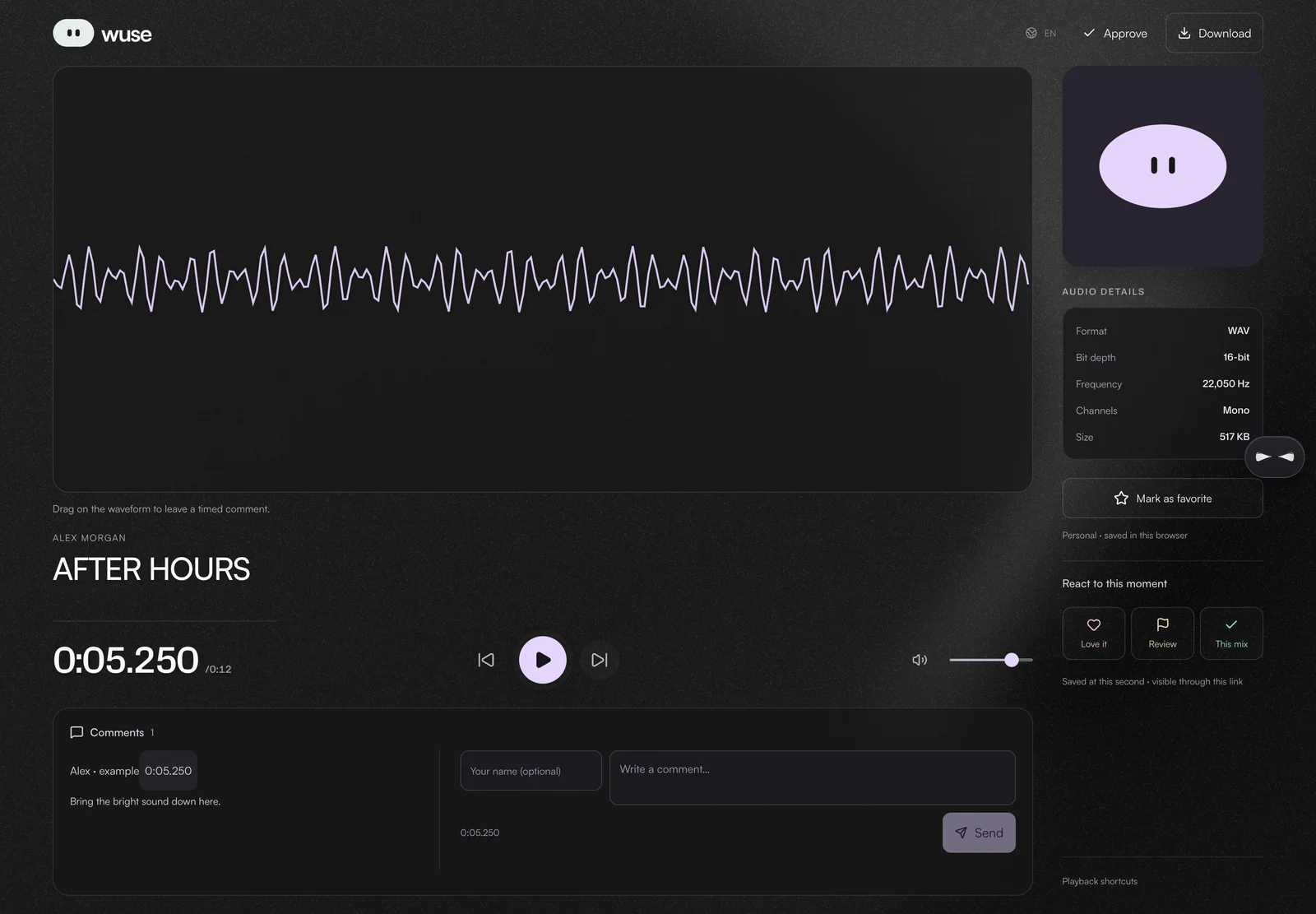
Try leaving a timed note.
An original 12-second synthetic loop made for this example. No private music. Nothing is sent to a wuse project.
Tap or drag the waveform to choose a moment. With a keyboard, use the arrow keys; hold Shift for 0.1-second steps.
Loading example audio…
IN YOUR WORKSPACE
Bring your own music.
Open Library to upload a song, or use Projects to keep versions together. Your account and plan permissions apply.
Feedback comes from the people you invite
wuse organizes listening and comments; it does not provide an engineer’s critique or automatically fix a mix. Commenting depends on the link’s permissions.
An approval records the listener’s explicit response. It is separate from a split agreement, a signature or a record of music ownership.
The example below keeps notes only in the current page. It sends nothing to a project and resets when you reload. In the app, submitted comments belong to the reviewed audio version.
Before you start
Can I comment on a specific second?
Yes. Select a point or range on the waveform and check the timestamp in the comment composer. Saved timed comments appear as waveform markers.
Can my client comment without an account?
Public listening and comparison pages support guest feedback when comments are enabled. The listener can provide their name with the comment.
Does a link opening mean the mix is approved?
No. Listening activity and approval are different actions. Ask the reviewer to use the explicit approval action.